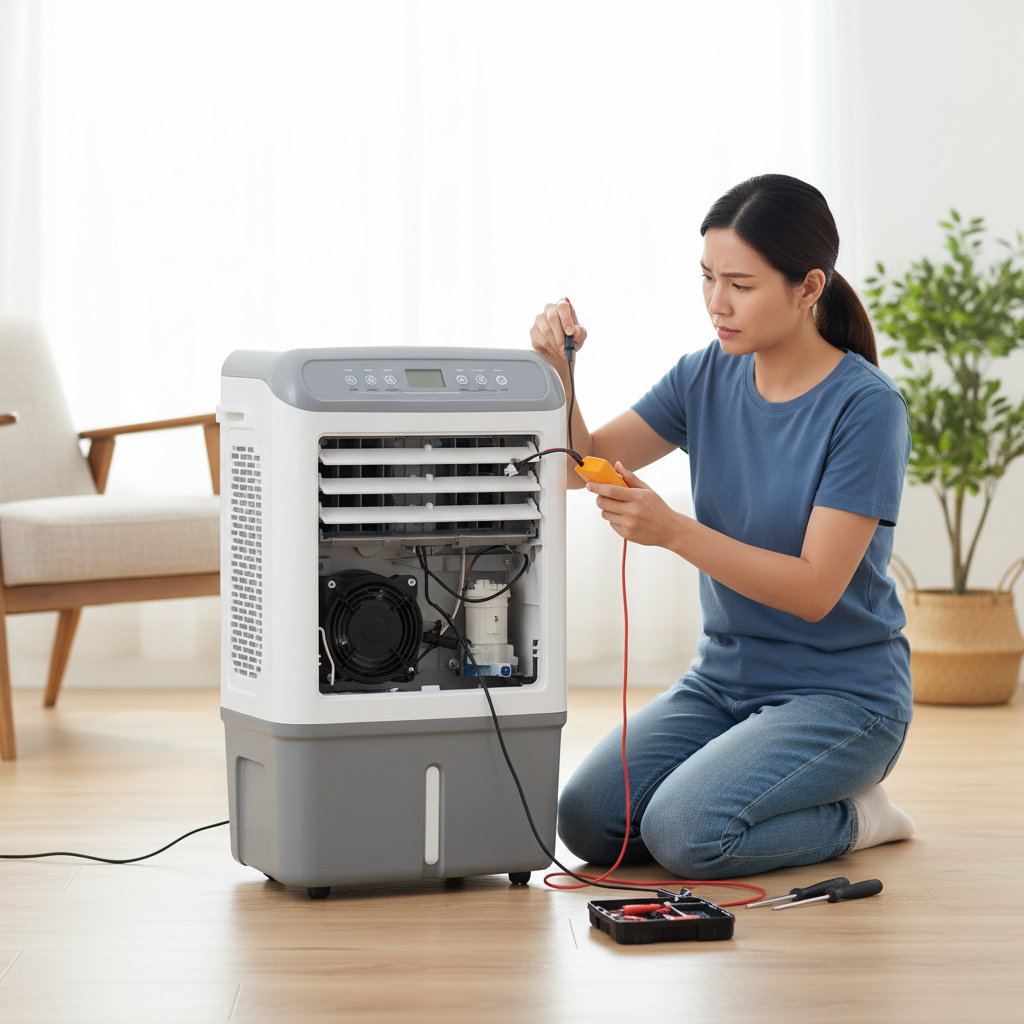
Is your air cooler’s gentle hum turning into an annoying whir, rattle, or even a grinding noise? A noisy fan motor can transform a refreshing breeze into a source of irritation, but often, the fix is simpler than you think. With a bit of patience and some basic tools, you can often diagnose and resolve these issues yourself, restoring peace and comfort to your space without calling a technician.
Understanding Your Air Cooler: What Makes It Hum (or Roar)?
Air coolers, also known as evaporative coolers or swamp coolers, provide a cost-effective and energy-efficient way to cool your home, especially in dry climates. They work by drawing warm air over water-saturated cooling pads. As water evaporates, it absorbs heat from the air, which is then circulated by a powerful fan into the room. This process naturally cools and humidifies the air.
The fan and its motor are central to this operation. The motor drives the fan blades, pushing cool air out. When any component of this system—from the fan blades to the motor’s internal parts—encounters an issue, it can manifest as an unwelcome noise. Common types of noises, like a persistent squealing, rattling, humming, grinding, or thumping, often point to specific underlying problems.
Safety First: Preparing for DIY Repair
Before attempting any repair, safety must be your top priority. Working with electrical appliances requires caution to prevent injury.
Always begin by:
- Disconnecting Power: Unplug your air cooler from the electrical outlet. This is crucial to avoid electric shock or accidental startup during maintenance.
- Gathering Tools: Have your tools ready. You’ll typically need a screwdriver set (Phillips and flathead), a soft brush or cloth for cleaning, possibly a vacuum cleaner with attachments, a can of lubricant (like multi-purpose oil or silicone spray), and possibly a multimeter if you suspect electrical issues. Gloves can also protect your hands from dust and sharp edges.
Common Causes of Noisy Air Cooler Fan Motors and Their DIY Fixes
Let’s delve into the most frequent culprits behind fan motor noise and how you can tackle them at home.
Dirty Fan Blades or Impeller
Over time, dust, dirt, pet hair, and other debris can accumulate on the fan blades, the protective grille, and inside the fan housing. This buildup can throw the fan out of balance, create air resistance, and cause a range of noises, from a dull hum to a distinct rattling or vibrating sound.
How to Fix It:
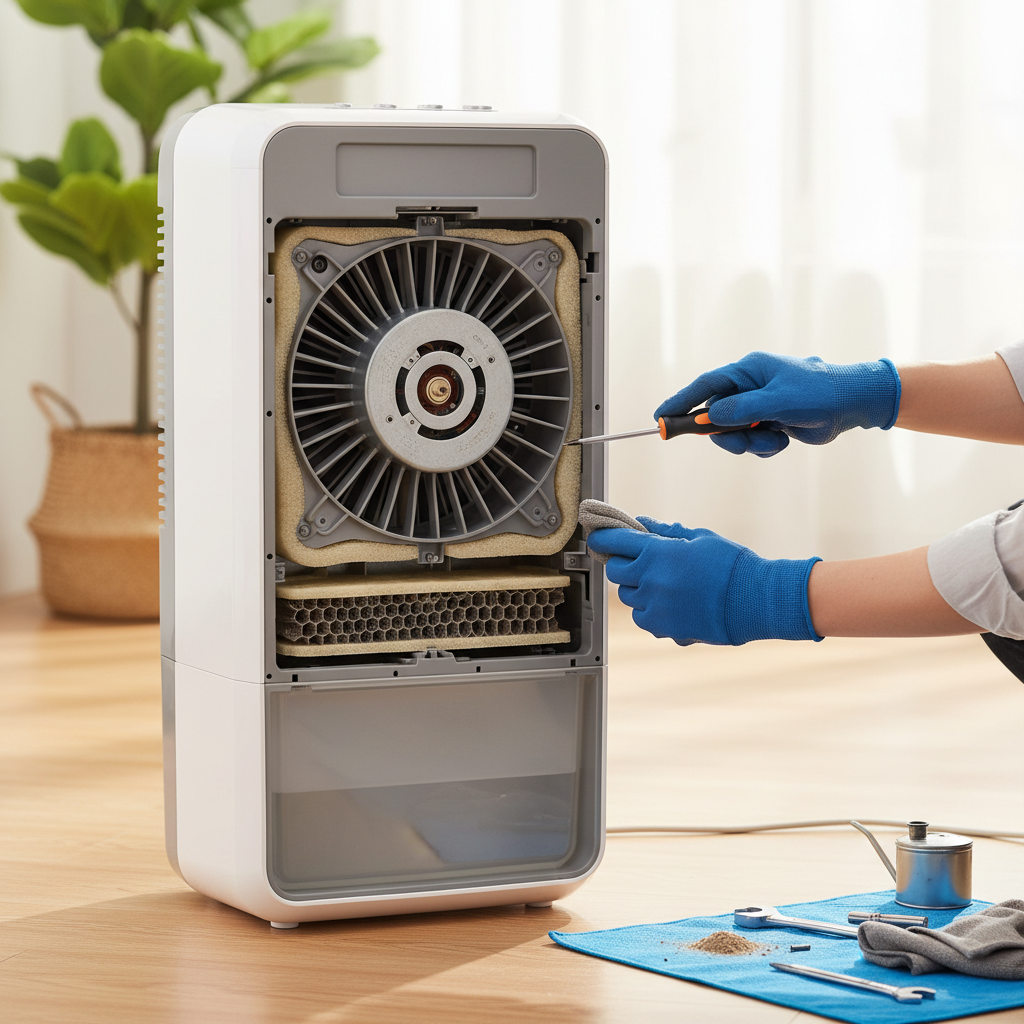
- Disassembly: Carefully remove the front grille or access panel of your air cooler to expose the fan blades. Consult your owner’s manual for specific instructions on how to safely open your model.
- Cleaning: Use a soft brush, damp cloth, or a vacuum cleaner with a brush attachment to gently remove all accumulated dust and debris from the fan blades, the motor housing, and the surrounding areas. Pay close attention to the leading edges of the blades.
- Reassemble: Once clean, reassemble the unit, ensuring all screws and panels are securely in place.
- Tip: Regular cleaning, especially once a month during heavy use, can significantly prevent noise issues and maintain efficiency.
Our Picks for the Best Air cooler in 2026As an Amazon Associate I earn from qualifying purchases.Num Product Action 1 3-in-1 Portable Evaporative Air Cooler - 2000 CFM Swamp Cooler with 6.6-Gal Dual Tank & 4 Ice Packs, Remote Control, 12H Timer, Oscillating Cooling Fan for Large Room, Office, Mother's Day 
2 DREO Tower Fan for Bedroom, 43" Cooling Fans That Blow Cold Air 2026 Upgraded, Evaporative Air Cooler, Quiet 80° Oscillating Floor Fan, Easy Cleaning, APP Control, 4 Modes & 4 Speeds, 12H Timer, Black
3 DREO Evaporative Air Swamp Cooler, 43" Cooling Fans that Blow Cold Air 2026 Upgraded, 80° Oscillating Floor Fan for Bedroom, Easy Cleaning, APP Control, Ice Packs, 4 Speeds & 4 Modes, 12H Timer, White
4 Portable Air Conditioners, Swamp Cooler Portable AC Unit for Room, Windowless Cooling Fan That Blow Cold Air w/Remote 5L Tank 12 Speeds 9H Timer, Evaporative Air Cooler for Bedroom Garage (White)
5 Arctic Air Pure Chill 2.0 Evaporative Air Cooler by Ontel - Powerful, Quiet, Lightweight and Portable Space Cooler with Hydro-Chill Technology For Bedroom, Office, Living Room & More,Blue
6 Evaporative Air Cooler - Swamp Cooler with 3L Water Tank, 3 Modes & 3 Speeds, Remote Control, 12H Timer, 50° Oscillating Portable Bladeless Cooling Tower Fan For Room Bedroom Office Mother's Day
7 LEVOIT Tower Fan for Bedroom, 90° Oscillating Standing Fan with 28dB Quiet for Sleep, 25ft/s Velocity, 12H Timer, 5 Speeds 4 Modes, Remoter, Bladeless Room Fan for Home, Office, Indoor, 36 inch, White
8 DREO Tower Fan for Bedroom, 2026 Upgraded DC Motor, 28ft/s High Velocity, 20dB Ultra Quiet Standing Fan, 8 Speeds 4 Modes, 90° Oscillating Bladeless Fan for Indoors, Floor Fans with Remote, Black
9 Midea 5,000 BTU EasyCool Small Window Air Conditioner - Cool up to 150 Sq. Ft. with Easy-to-Use Mechanical Controls and Reusable Filter, Perfect for Small Bedroom, Living Room, Home Office
10 Portable Air Conditioners, 3-IN-1 Evaporative Air Cooler,Cooling Fans that Blow Cold Air with 60° Oscillation,9H Timer,3 Modes & 12 Speeds, 8 Ice Packs, Windowless Portable AC for Room,Bedroom,Office
Loose or Unbalanced Fan Blades
If the fan blades themselves are loose on the motor shaft, or if they are cracked, chipped, or bent, they can cause significant vibrations and a wobbling, thumping, or scraping noise.
How to Fix It:
- Visual Inspection: After cleaning, carefully inspect each fan blade for any visible damage like cracks, chips, or bends.
- Check for Looseness: Gently try to wiggle each blade. If you find any movement, locate the set screw(s) that secure the fan blade assembly (often a squirrel cage blower wheel) to the motor shaft. These are typically small screws on the hub of the fan.
- Tighten Screws: Use the appropriate screwdriver to tighten any loose set screws. Ensure they are snug but do not overtighten, as this can strip the threads or damage the shaft.
- Replace Damaged Blades: If a blade is cracked, chipped, or significantly bent, it’s best to replace the entire fan blade assembly. Operating a cooler with damaged blades can put undue stress on the motor and lead to further problems.
- Balance Check: For some larger fan types, balancing clips can be used, though this is less common for standard home air coolers. Ensure the fan spins freely and smoothly by hand after tightening.
Worn-out or Dry Motor Bearings
The motor in your air cooler relies on bearings to allow its shaft to spin smoothly with minimal friction. Over time, these bearings can wear out, become dry, or accumulate dirt, leading to increased friction. This often manifests as a high-pitched squealing, grinding, or chirping noise, especially when the fan starts up or changes speed.
How to Fix It:
- Access the Motor: You will need to carefully access the fan motor. This may involve further disassembly of the cooler’s internal components. Always refer to your manual.
- Locate Bearings: The bearings are usually at either end of the motor shaft. Some motors have sealed bearings, which cannot be lubricated and must be replaced if faulty. Others have unsealed bearings, often identifiable by a small opening or a felt wick.
- Lubricate Bearings: If your motor has unsealed bearings, apply a few drops of light machine oil or a non-detergent 3-in-1 oil directly into the bearing housing. Avoid using WD-40, which is a penetrant and not a long-lasting lubricant. For sealed bearings, lubrication is generally not an option.
- Replace Bearings: If lubrication doesn’t resolve the noise, or if your motor has sealed bearings that are failing, the bearings will need to be replaced. This is a more advanced DIY task that involves disassembling the motor itself. If you’re not comfortable with this, consider professional help or replacing the entire motor.
Motor Imbalance or Faulty Motor
Sometimes, the motor itself can be the source of the noise. An imbalance within the motor due to internal wear, loose mountings, or a failing winding can cause humming, buzzing, or vibrating noises. If the motor is faulty, it might struggle to turn the fan, producing a loud hum without spinning or even emitting a burning smell.
How to Fix It:
- Inspect Motor Mounting: Check if the motor is securely mounted to its bracket. Tighten any loose mounting screws.
- Alignment: Ensure the motor shaft is properly aligned with the fan assembly. Misalignment can cause friction and stress.
- Test Capacitor (if applicable): Some air cooler motors use a run capacitor. If the fan hums but doesn’t spin, or starts slowly, a failing capacitor could be the cause. Testing and replacing a capacitor involves working with high voltage and should only be done by those familiar with electrical work and safety precautions.
- Motor Replacement: If the motor shows signs of significant failure (overheating, burning smell, consistent loud humming without movement, or if other fixes haven’t worked), replacing the entire motor might be the only viable solution. This can be a complex and costly repair, often requiring matching the exact motor specifications.
Debris Inside the Unit
Beyond the fan blades, foreign objects can get trapped anywhere inside the air cooler, especially if the air intake isn’t filtered. Small pebbles, leaves, or even insects can cause rattling, grinding, or scraping noises as they get caught in moving parts or fall into crevices.
How to Fix It:
- Thorough Inspection: With the unit disassembled and unplugged, carefully inspect the entire interior of the cooler, including the water reservoir, cooling pads, and all accessible chambers.
- Remove Debris: Use tweezers, a small vacuum, or your hands (with gloves) to remove any foreign objects you find.
- Install Filter: To prevent future issues, consider installing an air intake filter if your model allows for it. Regular cleaning of existing filters is also crucial.
Unit Placement and Vibrations
Sometimes, the noise isn’t coming from the motor itself but from the unit vibrating against an uneven surface. This can cause a rattling or buzzing sound that might seem like a motor issue.
How to Fix It:
- Level the Cooler: Ensure your air cooler is placed on a flat, stable, and level surface. Use a spirit level to check. Adjust the cooler’s feet if they are adjustable.
- Anti-Vibration Mats: If vibrations persist, place an anti-vibration mat or rubber pads underneath the cooler to absorb tremors and reduce noise transmission.
Step-by-Step DIY Troubleshooting Guide
When your air cooler gets noisy, follow this systematic approach:
- Initial External Check:
- Listen carefully to pinpoint the source of the noise. Is it a squeal, rattle, hum, or grind?
- Check if the unit is stable and level on its surface.
- Power Off and Disassemble:
- Unplug the unit.
- Carefully remove the external grilles and panels to access the fan and motor area.
- Visual Inspection for Obvious Issues:
- Look for visible dust and debris on the fan blades and within the housing.
- Check for any loose wires or components.
- Inspect fan blades for damage (cracks, bends, chips).
- Systematic Internal Checks (and Fixes):
- Clean the Fan: Thoroughly clean fan blades, grilles, and housing.
- Check Fan Blade Security: Ensure fan blades are tightly secured to the motor shaft. Tighten any loose set screws. Replace if damaged.
- Inspect and Lubricate Bearings: Access motor bearings. If unsealed, lubricate them. If sealed and noisy, consider motor or bearing replacement.
- Inspect Motor Mounts: Ensure the motor is securely mounted. Tighten loose bolts.
- Remove Internal Debris: Look for and remove any foreign objects from inside the cooler.
- Reassemble and Test:
- Carefully reassemble all panels and grilles.
- Plug the unit back in and test its operation. Listen for any remaining noise.
When to Call a Professional
While many common noise issues can be resolved with DIY efforts, there are situations where professional help is advisable:
- Complex Electrical Issues: If you suspect a problem with wiring, capacitors, or the motor’s electrical components and are not experienced with electrical repairs.
- Difficult Motor Replacement: If accessing or replacing the motor proves too challenging or requires specialized tools.
- Safety Concerns: If at any point you feel unsafe or unsure about the repair process.
- Warranty: If your air cooler is still under warranty, attempting DIY repairs might void it. Check your warranty terms before proceeding.
Maintaining Your Air Cooler for Quiet Operation
Prevention is always better than cure. Regular maintenance can significantly extend your air cooler’s lifespan and keep it running quietly.
- Regular Cleaning: Clean the fan blades, cooling pads, water tank, and filters regularly (monthly during peak season).
- Water Quality: Use clean water to prevent mineral buildup and mold growth, which can affect pump and fan performance.
- Filter Usage: Always use and regularly clean or replace air intake filters to minimize debris entry.
- Proper Storage: When not in use for extended periods, drain the water, clean the unit thoroughly, and store it in a dry, dust-free place.
Conclusion
A noisy air cooler fan motor can be a nuisance, but by understanding the common causes and following a systematic DIY troubleshooting approach, you can often restore your unit to its quiet, efficient operation. From simple cleaning and tightening loose components to lubricating bearings, many fixes are within reach for the average homeowner. Always prioritize safety by disconnecting power before starting any work. Empowering yourself with these repair skills not only saves money but also gives you a deeper understanding of your appliance. What steps will you take today to bring quiet comfort back to your home?
Frequently Asked Questions
What type of lubricant should I use for my air cooler fan motor?
For unsealed motor bearings, use a few drops of light machine oil or a non-detergent 3-in-1 oil. Avoid products like WD-40, which are primarily penetrants and not long-lasting lubricants. Always check your cooler’s manual for specific recommendations.
How often should I clean my air cooler to prevent noise?
It’s advisable to clean your air cooler, especially the fan blades and cooling pads, at least once a month during periods of regular use. In dusty environments, more frequent cleaning may be necessary to prevent debris buildup that causes noise and reduces efficiency.
Can a noisy air cooler be dangerous?
While a noisy air cooler is often just an annoyance, some noises can indicate underlying problems that could pose a safety risk. For example, a failing motor could overheat, creating a fire hazard, or loose electrical components could lead to electrical hazards. It’s best to address unusual noises promptly.
Is it worth replacing an air cooler motor myself?
Replacing an air cooler motor can be a cost-effective DIY repair if you are comfortable with electrical work and can find the correct replacement motor. However, it requires careful disassembly and reassembly, and if done incorrectly, it can be dangerous or damage the unit further. Consider professional help if unsure.
What does a grinding noise mean in an air cooler?
A grinding noise in an air cooler often indicates significant friction. This could be due to severely worn-out motor bearings, a foreign object caught in the fan or motor assembly, or a motor that is on the verge of failure. It requires immediate attention to prevent further damage.
How do I know if my fan motor bearings are bad?
Bad fan motor bearings typically produce a high-pitched squealing, chirping, or grinding sound, especially noticeable when the fan starts or changes speed. If you spin the fan by hand (with power off), it might feel rough or seize up, indicating worn bearings.